Snip.Extract.Translate.
Read Instantly.

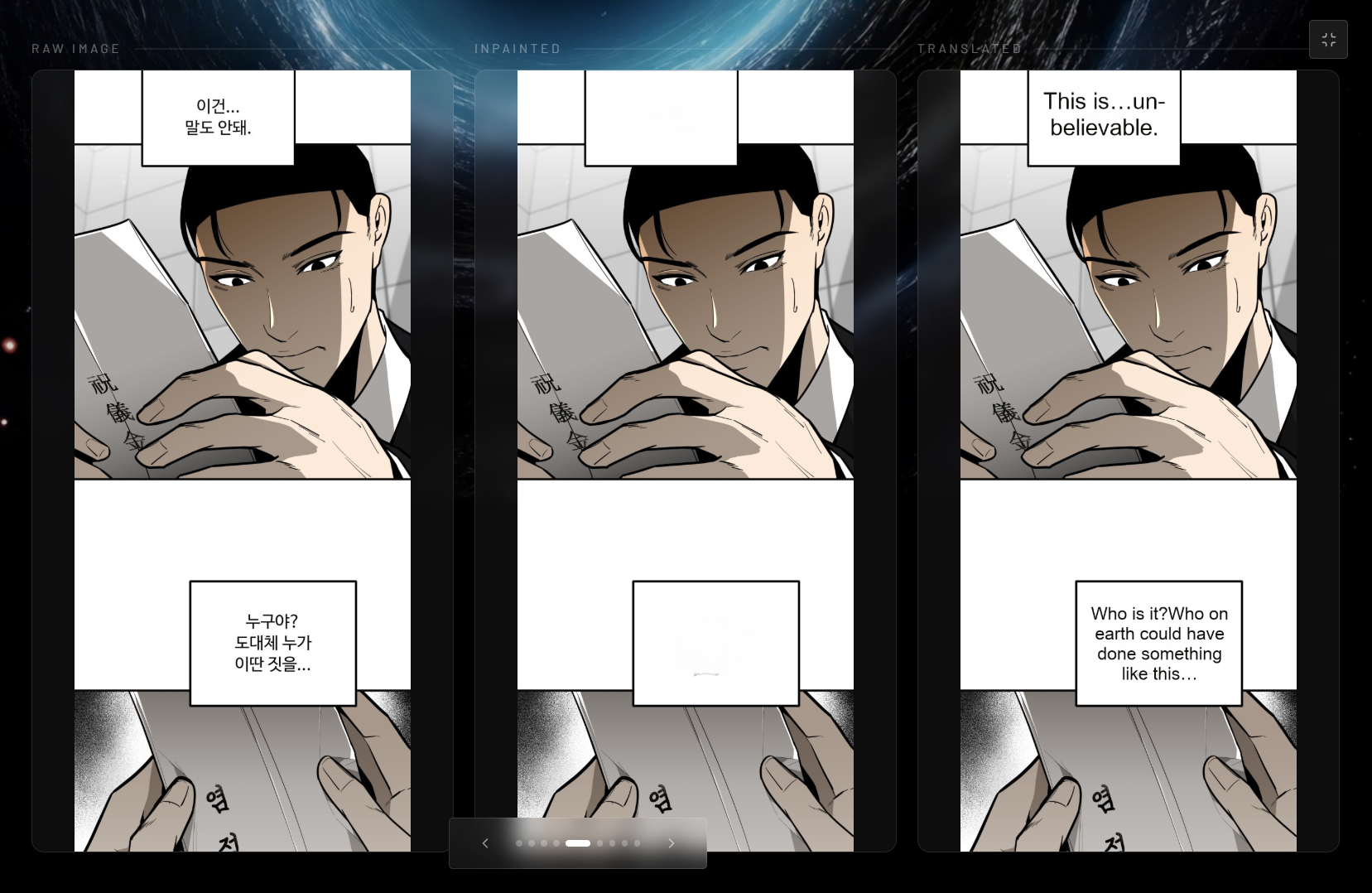
Capture any manga panel, webtoon page, or raw scan - SnipShot's 7-stage AI pipeline detects text, recognises characters, and translates to 26+ languages in under a second. No copy-paste, no mobile hassle.

How It Works

From Raw Panel To Readable Translation

A single capture kicks off the entire flow: snip the panel, detect the text, extract the dialogue, and return a clean translation in seconds.

SnipShotworkflow

Click a stage to explore · Space or to advance

Source Panel
待って!
何が起きているの?
危ない!
もう終わりだ…
480 × 680 px
Panel 03
stage: snip · Select a manga panel region
Stages

Select a manga panel region

Built for Readers

Three powerful stages that turn any screenshot into readable, translated text — no manual work required.

Snip Anywhere

Select any screen region — manga pages, webtoons, light novel scans, or raw raws — and capture it instantly. Works across all apps and browsers.

Smart OCR

Our Roformer + ViT-powered OCR engine excels at vertical Japanese text, stylised manga fonts, speech bubbles, and complex panel layouts that trip up generic tools.

Instant Translation

Translate extracted text to 26+ languages in under a second — Japanese, Korean, Chinese, Arabic, and more — powered by Groq LLM with full context awareness.

Desktop Power,
No Compromises

SnipShot runs seamlessly in the cloud — accessible from any device with a full-size display. No local hardware requirements, no subscription walls. Just fast, accurate translation built for long reading sessions.

  • Sub-second snip → translate → read workflow
  • Handles complex layouts: vertical text, SFX, speech bubbles
  • 7-stage AI pipeline: detect → OCR → translate → inpaint → render
  • Survey-backed: 5/5 usefulness from 79+ manga fans
Desktop manga translation workflow
0/5

Usefulness Score

0+

Manga Fans Surveyed

0+

Languages Supported

~0s

Avg. Process Speed

Ready to Read
Without Limits?

Download SnipShot and start reading raw manga, manhwa, and manhua in your language — for free. No account required.